
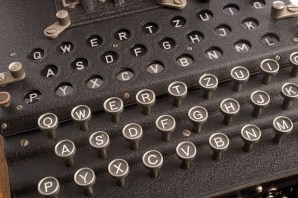
 In 2011, an international team came together to try and decipher a manuscript written almost 300 years earlier. The document was penned in the 1730’s and contained 105 pages covered in Roman letters, mathematical symbols, shapes, and unrecognizable runes. There were no spaces to indicate word breaks. No previously known documents matched the style of writing and there was no key to help understand what they meant. The entire book was written in code.
It took months of heavy-duty computing and manual guess-work to finally crack the cypher. What the team revealed was the membership manual for a secret society called the Oculists. The book detailed some of their rituals and bylaws. This was a group of free-thinkers, people who challenged the established religious and political powers of the day. To protect themselves from persecution, they met in secret and communicated using complex codes.
I often receive emails that are written in what looks like Oculist code. You now the ones I’m talking about. You open them up, but close them after only a cursory glance. What you’ve seen is either a jumbled mess, or so hard to read, you quickly decide to move on to something easier to digest.
If you write many emails, and you do, this should worry you. We send emails with the expectation that they will be read and understood by the recipient. We don’t want our message to be a mystery. Yet, the way we design an email can make it seem more like a puzzle to be solved than a critical piece of business intel.
When people open an email and what they see looks more like an ancient coded manuscript than relevant information, they’ll click “close” (or even worse, “delete”). Your email needs to be easy on the eyes if you want people to read it. Start with these tips:
- Stick to a single topic. Keep your emails focused. The more ground you try to cover in an email, the more you’ll have to write. And long emails are among the first pushed into the “read it later” category. That’s ok if your sharing information that’s not time-sensitive, but be honest – you’re looking for a quick turnaround when you hit send, aren’t you? Keep your message simple, and you’ll keep the email focused. When it comes email, focus is a good thing.
- Keep the paragraphs short. When reading, our eyes seek out white space. White space lets our brain anticipate a break in the action and gives it a chance to rest. Smaller paragraphs are easier to process, which is what we want, right? We want the content to be understood, assimilated, and acted on. Small bites provide the reader an opportunity to absorb the information. When it comes to email, brevity is a good thing.
- Use bullets, numbers, and pictures. When you find yourself needing to share a series of related items, break up the page to make it easier for scanners (like me) to find the important stuff quickly. Bullets help highlight key points. Numbered lists are great for illustrating a series of steps. Headings separate chunks of text into more manageable sections. Pictures, such as a computer screen shot, aid in recall. These techniques also add variety to the page. When it comes to email, variety is a good thing.
- Choose the right font. There are somewhere in the neighborhood of 250 different fonts available for use in Microsoft Outlook. Most of them are horrible for email, including the default: Calibri. I’d never thought about the effect an email font has on readability until I sat down to write this article.
I’m switching to Verdana. The extra space between letters makes it easier on my eyes, even at a smaller font size (I’ve set mine at 10 point). Different fonts may look cool, but we’re not trying to be cool – we’re trying to be read and understood. Oh, while you’re at it, stick to black or dark blue for the font color. They’re the most readable. When it comes email, readability is a good thing.
- Lose the background. Your message is the point of the email. Anything that doesn’t add to the message, distracts from it. This goes for colored backgrounds or patterns. All that extra fluff adds unnecessary weight to your email. You wouldn’t have a serious conversation with someone and intentionally invite a group of toddlers into the room would you? Allow your message the freedom it needs to be understood. When it comes to email, distractions are a bad thing.
Unless you’re writing the manual for a secret society, it’s best to keep your email formatted for easy reading. Or you could follow the Oculists and allow your message to remain a mystery for some adventurous sleuths to decipher. Just be ready to wait. It could take a few hundred years.
 Since January 1st, I have received more than 3,400 emails that have been classified as “junk.” That means every day, my email account automatically detects and quarantines somewhere in the neighborhood of 40 undesirable messages. And that doesn’t count the SPAM that slips by the filter or is caught by my ISP before it ever gets to my account.
 scottvoland.com